
The screen is black. The button does nothing. You plug it in and nothing happens, or a logo appears and then vanishes, or it shows a battery symbol and refuses to go further. And somewhere in the back of your mind, a voice is already composing the message that says "sorry, my phone died."
Here is what fifteen years of dead phones across the counter has taught us: a phone that won't turn on is very rarely a phone that is actually dead. It is a phone with one specific fault — usually a cheap one — that is preventing it from showing you that everything else still works.
The battery is the most common culprit by a wide margin. The screen is the second. Genuine logic board failure is a distant third. And the sequence of checks that separates them takes about fifteen minutes and requires nothing more than a cable, a torch and some patience.
At Fone Doctors the first thing we do with a "dead" phone is put it on a bench power supply and watch the current draw. Ninety seconds tells us which of five categories it falls into. This guide walks you through the same logic at home, and then explains what each result means for the repair.
First: Establish What Kind of Dead You Have
Not all "won't turn on" is the same. Identify your pattern before doing anything.
| What you see | What it usually means | Severity |
|---|---|---|
| Completely black, no response to anything | Flat battery, failed battery, charging fault, or power circuit | Usually minor |
| Shows a battery icon or red battery when plugged in | Battery deeply discharged — it needs time, or it has failed | Minor |
| Logo appears, then shuts off, repeatedly (boot loop) | Battery cannot sustain the power surge at boot, or software corruption | Minor to moderate |
| Stuck on the logo for minutes | Software or storage problem | Moderate, usually recoverable |
| Black screen but vibrates, rings or makes sounds | The phone is on. The display or backlight has failed | Moderate — display, not power |
| Black screen, but a faint image visible under a torch | Backlight failure specifically | Moderate — repairable |
| Was fine, then died instantly with no warning | Battery voltage collapse, or a power management fault | Minor to moderate |
| Died after getting wet | Liquid damage — stop, do not charge, get it seen today | Time critical |
| Died after a drop | Battery connector dislodged, or display flex damage | Usually minor |
If liquid was involved at any point, skip the rest of this guide. Do not charge it, do not keep pressing the button, and get it to a specialist today. Every attempt to power a wet board drives corrosion further.
The Fifteen-Minute Revival Sequence
Work through in order. Do not skip step one, however tempting.
Step 1: Charge it properly, then leave it alone
A battery that has gone completely flat drops below the voltage the phone needs to even display a charging icon. It needs to trickle-charge for a while before it can do anything visible.
- Use a known-good cable and wall plug — ideally the original, or one you have just confirmed works on another device. Cables fail invisibly.
- Plug into a wall socket, not a laptop USB port or a car adapter. Low-power sources may not deliver enough to revive a deeply discharged cell.
- Leave it for 30 minutes without pressing anything. This is the step everyone skips.
- Check the charging port with a torch while you wait. Compacted lint stops the cable seating. Clean it gently with a wooden toothpick if needed.
After 30 minutes, look for any charging indicator. Feel whether the phone has become slightly warm near the battery — that is current flowing, and it is a good sign.
Step 2: Force restart
A phone can be "on" but frozen with a black screen. A force restart clears that without touching your data.
| Device | Force restart |
|---|---|
| iPhone 8 and later, all Face ID models | Press volume up, press volume down, then hold the side button until the Apple logo appears — up to 20 seconds |
| iPhone 7 | Hold volume down and the side button together until the logo appears |
| iPhone 6s and earlier | Hold the home button and the side or top button together until the logo appears |
| Samsung Galaxy | Hold volume down and the side button together for 10 to 15 seconds |
| Google Pixel | Hold the power button for 30 seconds |
| Most other Android | Hold power and volume down for 10 to 20 seconds |
Do this with the phone still plugged in. Count the seconds properly — twenty seconds is longer than it feels.
Step 3: Look and listen for life
Force restart again, this time in a quiet, dark room, and pay attention.
- Any vibration?
- Any sound — a chime, a click?
- Does the phone get warm after a few minutes plugged in?
- Shine a bright torch at the screen at a sharp angle. Can you make out a faint logo or icons?
- Call the phone from another handset. Does it ring, or does it go straight to voicemail?
- Plug it into a computer. Does the computer detect a device, even if the screen is black?
Any one of these is proof the phone is on. If it vibrates, rings, gets warm, shows a faint image or is detected by a computer, the logic board and battery are working. What you have is a display problem, and that is a completely different — and usually simpler — repair.
Step 4: Recovery mode
If the phone shows life but will not get past the logo, or boot loops, try recovery mode. On iPhone, connect to a computer with Finder or iTunes and use the force restart sequence but keep holding the side button past the logo until the recovery screen appears. On Android, the combination varies by manufacturer.
If recovery mode loads, the hardware is fundamentally sound. Choose "Update," never "Restore" or "Factory Reset," if you care about your data. An update reinstalls the operating system while preserving your files.
The Most Common Cause: A Battery That Has Given Up
More phones arrive "dead" because of the battery than for every other reason combined.
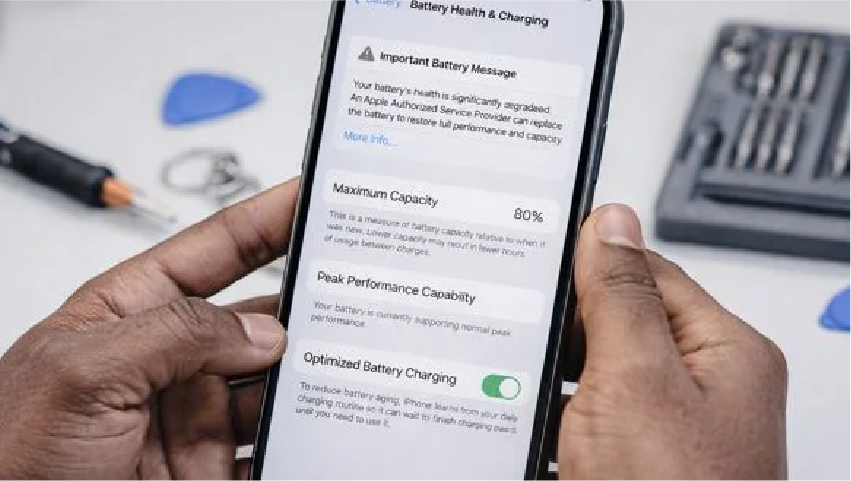
Lithium-ion cells do not fail gracefully. A worn battery can show 40 percent, then collapse to zero the moment the phone demands a surge of power — at boot, when the camera opens, in the cold. And a battery that has been left completely flat for weeks can drop below its recovery voltage and refuse to accept charge at all.
The tell-tale signs:
- The phone died suddenly with charge showing
- It had been shutting down unexpectedly for weeks beforehand
- It boot loops — logo, off, logo, off — because the cell cannot sustain the startup surge
- It only works while plugged in
- It shows a charging icon but never progresses
- The phone is more than two years old and the battery was never replaced
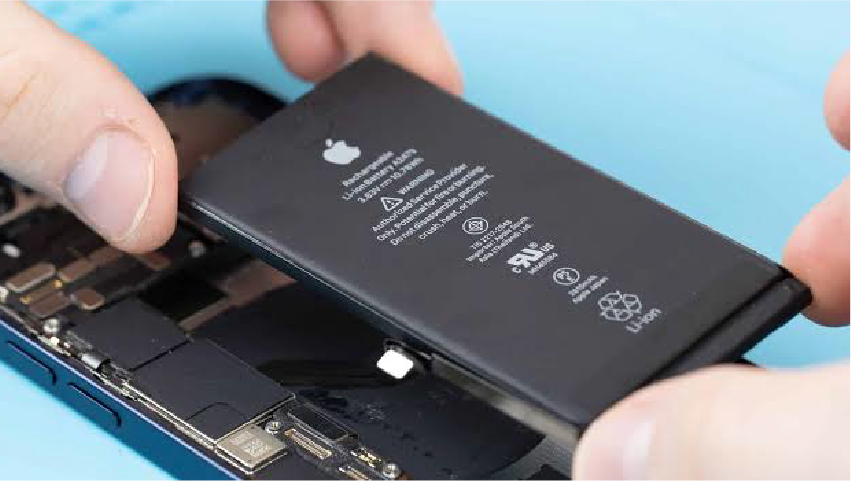
In all of these cases, fitting a healthy battery brings the phone straight back with everything intact. It is one of the quickest repairs there is. Our battery replacement service starts from £49, takes 30 to 45 minutes, includes a load test to confirm the battery was genuinely the cause, and carries a twelve-month warranty.
The Other Causes, and What They Cost
| Cause | How we confirm it | Repair | Turnaround | From |
|---|---|---|---|---|
| Failed battery | Load test and voltage measurement | Battery replacement | 30 to 45 minutes | £49 |
| Blocked or damaged charging port | Port inspection, current draw test | Clean, or port assembly replacement | 10 to 90 minutes | Free to £89 |
| Display or backlight failure | Phone shows life; torch test; external output test | Display assembly replacement | 30 to 60 minutes | From £79 |
| Dislodged battery connector after a drop | Visual inspection once open | Reseat connector | 20 minutes | Minimal |
| Power button flex failure | Phone boots when plugged in but button does nothing | Power button flex replacement | 45 to 60 minutes | £59 |
| Software corruption | Recovery mode loads normally | Operating system reinstall, data preserved | 30 to 60 minutes | £39 |
| Charging circuit fault | Board draws no current or wrong current on the bench supply | Board-level micro-soldering | 2 to 5 days | Diagnostic required |
| Power management IC failure | Bench supply shows a short or a stuck rail | Board-level chip replacement | 2 to 5 days | Diagnostic required |
| Liquid damage | Liquid indicators, corrosion under microscope | Ultrasonic clean and component repair | 1 to 3 days | Diagnostic required |
The first six rows cover the large majority of dead phones we see. Board-level work is the exception, and even then, the data is usually recoverable.
What Not To Do
- Do not keep pressing the power button for an hour. After three force restarts, further attempts add nothing.
- Do not factory reset or "Restore" if the data matters. On modern encrypted phones this is permanent.
- Do not open it yourself. A dislodged battery connector is a two-minute fix with the right tools and a shorted board with the wrong ones.
- Do not put it on a radiator or in the sun to "warm the battery up." Heat damages lithium cells and does nothing for a deep discharge.
- Do not charge it if there is any chance it got wet.
- Do not assume the data is gone. In almost every category above, storage is untouched.
When To Stop and Bring It In
Bring it to our London clinics rather than continuing if:
- 30 minutes of charging with a good cable and a force restart produced nothing
- The phone shows signs of life but the screen stays black
- It boot loops
- It has any history of liquid contact
- It died after a drop
- It is swollen, warm when it should not be, or smells of anything
- There is unbacked-up data on it and you are about to try something drastic
The diagnostic is free and takes about fifteen minutes on a bench supply. You leave knowing exactly which category you are in, what the fix costs, and whether your data is safe — which it almost always is.
Related repair guides
See also phone battery health and iPhone battery replacement in London.
Key Takeaways
- A phone that won't turn on is almost never dead. The battery is the most common cause, the display second, the board a distant third.
- Charge from a wall socket with a known-good cable for 30 minutes before trying anything else. Then force restart properly.
- Vibration, sound, warmth, a faint image or computer detection means the phone is on and the screen has failed.
- Boot looping usually means a worn battery. It is a 30-minute repair from £49.
- Never factory reset a phone whose data you need. Everything else on this list preserves it.
- Liquid contact changes everything: no charging, no button pressing, professional cleaning today.
Dead Phone? Free Diagnostic Today
Bench-supply testing that identifies the fault in minutes, battery replacement from £49 while you wait, and honest advice on whether a repair makes sense. Walk into our London Bridge, Liverpool Street or Canary Wharf clinics, or book an urgent collection.
Book a diagnostic: https://fonedoctors.co.uk/booking/device
See all repair prices: https://fonedoctors.co.uk/prices
Call the clinic: +44 20 7403 9111
Frequently asked questions
Almost certainly not. A phone with no response is usually a deeply discharged or failed battery, a blocked charging port, or a faulty cable. Charge it from a wall socket with a known-good cable for 30 minutes without touching it, then force restart. If that fails, a free diagnostic on a bench supply identifies the fault in minutes — and the data is nearly always intact.
Share with your community
Get in touch
Questions about this repair? Send a message or book a slot at a London clinic.