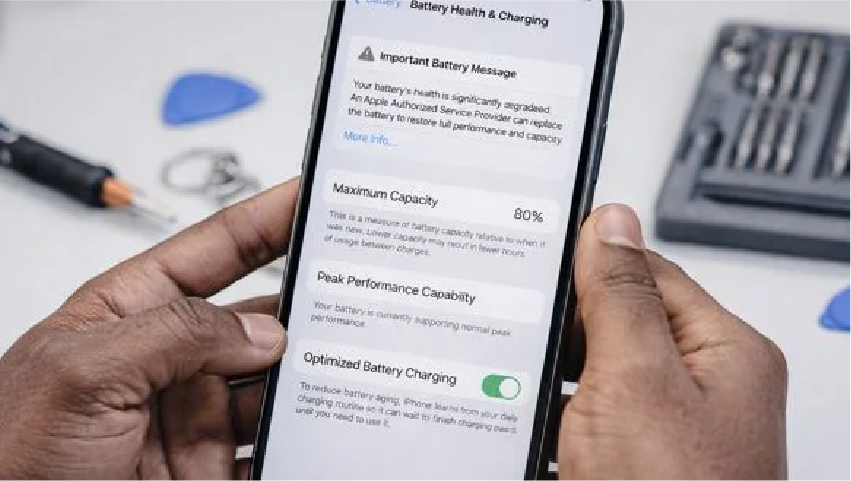
Your phone used to comfortably reach bedtime. Now it is gasping by six o'clock, it dies at 15 percent without warning, and it has developed an unhealthy attachment to power banks.
Somewhere in the back of your mind is a suspicion that this is deliberate — that the phone is being slowed down to push you into an upgrade. The truth is less conspiratorial and considerably more useful: your battery is a consumable chemical component, it has been quietly degrading since the day you bought it, and phone battery health is the number that tells you how far along that process you are.
Understanding that number properly saves most people several hundred pounds, because the overwhelming majority of "my phone is getting old" complaints are actually "my battery is worn out" complaints, and those two problems have very different price tags.
At Fone Doctors we run free battery diagnostics every day, and the pattern is remarkably consistent: people replace perfectly good phones because nobody explained what the battery health figure meant.
What Battery Health Actually Measures
The percentage in your settings is not how much charge is in the battery right now. It is a measure of how much charge the battery can still physically hold compared to the day it left the factory.
A phone shipped with a 4,000mAh battery that now reads 82 percent health can hold roughly 3,280mAh. It charges to what the phone calls 100 percent, but that 100 percent is a smaller tank than it used to be. This is why the symptom people notice is not "it charges to 80 percent" but "it charges fully and then dies far too quickly."
Where to find the number
| Device | Path |
|---|---|
| iPhone | Settings, then Battery, then Battery Health and Charging. Read Maximum Capacity |
| Samsung Galaxy | Settings, then Battery and Device Care, then Diagnostics, then Battery Status |
| Google Pixel | Settings, then Battery, then Battery Health (Android 14 and later) |
| Older Android | Dial the diagnostic menu or use the manufacturer's Members or Support app |
What the numbers mean in practice
| Battery health | Condition | What you will notice | Recommended action |
|---|---|---|---|
| 95 to 100% | Effectively new | Nothing. Full expected runtime | None |
| 88 to 94% | Normal ageing | Slightly shorter day, occasional evening top-up | Monitor. No action needed |
| 80 to 87% | Noticeably worn | Reliably needs charging before evening | Plan a replacement in the next few months |
| Below 80% | Service threshold | Sudden shutdowns, rapid drops, possible throttling | Replace now |
| Below 70% | Failing | Shutdowns above 20%, swelling risk, unreliable | Replace immediately |
Why 80 Percent Is The Threshold
The figure is not arbitrary marketing. Lithium-ion cells are designed and warranted to retain approximately 80 percent of original capacity for a defined number of full charge cycles — typically 500 cycles on older devices and 800 to 1,000 on recent models.
Below that line, three things change at once.
Voltage sag becomes significant. A worn cell cannot sustain voltage under load. When your phone demands a burst of power — launching the camera, joining a video call, GPS navigating — the voltage dips. If it dips far enough, the phone shuts down instantly to protect itself. This is the notorious "died at 30 percent" behaviour, and it is a voltage problem, not a charge problem.
Performance management activates. To prevent those unexpected shutdowns, iOS and several Android systems throttle peak processor demand on worn batteries. This is the genuine basis for the "they slow down old phones" belief. It is real, it is disclosed, and crucially it is reversed entirely by replacing the battery. Your phone is not obsolete. It is being protected from a component that can no longer keep up.
Degradation accelerates. Capacity loss is not linear. The curve is gentle from 100 to about 85 percent, then steepens. A battery that took two years to reach 85 percent can reach 75 percent within the following eight months.
The Eight Habits Quietly Killing Your Battery
Most battery advice on the internet is folklore from the nickel-cadmium era. Here is what actually matters for modern lithium-ion cells.
1. Heat, which is worse than everything else combined
Heat is the single largest factor in battery degradation, comfortably ahead of charge cycles. A battery held at 35°C degrades roughly twice as fast as one at 25°C. Leaving a phone on a car dashboard, on a windowsill in summer, or under a pillow while charging does more damage in an afternoon than a month of ordinary use.
2. Charging to 100 percent and leaving it there
Lithium-ion cells are chemically stressed at both extremes. Sitting at 100 percent for eight hours overnight, every night, ages the cell measurably faster than cycling between 20 and 80 percent. This is exactly what Optimised Battery Charging is designed to prevent — leave it enabled.
3. Running to zero repeatedly
Deep discharges stress the cell and, if a phone is stored fully flat for weeks, can drop the cell below its safe recovery voltage permanently. Recharge before 10 percent where you can.
4. Fast charging in an already hot phone
Fast charging itself is well managed by modern devices. Fast charging a phone that is already warm from gaming or direct sun stacks thermal stress on top of charging stress. If the phone is hot, let it cool first.
5. Cheap unregulated chargers
Poor-quality chargers deliver unstable voltage that forces the phone's charging circuitry to work harder and run warmer. The saving on a £4 charger is repaid in battery life several times over.
6. Charging with a thick case on
Cases trap heat precisely where you least want it. On fast charge or wireless charge, take the case off.
7. Wireless charging as your default
Wireless charging is convenient and inherently less efficient, which means more waste heat directly against the battery. Occasional use is fine; using it as your only overnight method is not ideal.
8. Calendar ageing, which you cannot avoid
Even a phone in a drawer loses capacity — roughly 2 to 3 percent a year, faster if stored fully charged or fully empty. This is why a lightly used four-year-old phone still shows meaningful wear.
| Habit | Impact on battery life | Difficulty to change |
|---|---|---|
| Avoiding heat above 35°C | Very high | Easy |
| Enabling optimised charging | High | Trivial, one setting |
| Staying between 20 and 80 percent | High | Moderate |
| Using a quality charger | Moderate | Easy |
| Removing case while fast charging | Moderate | Easy |
| Avoiding deep discharge to 0 percent | Moderate | Easy |
| Limiting wireless charging overnight | Low to moderate | Easy |
Battery Health Myths Worth Retiring
"You should fully discharge the battery once a month to recalibrate it." This was true of nickel-based batteries in the 1990s. On lithium-ion it actively causes wear. What it can do is correct a misreporting percentage gauge — a display problem, not a battery problem.
"Closing background apps saves battery." Force-closing apps means they must cold-start next time, which uses more power than resuming them. iOS and Android already suspend background apps effectively.
"Charging overnight destroys your battery." Modern phones stop drawing current at 100 percent. The wear comes from sitting at 100 percent for hours, which optimised charging specifically mitigates by holding at 80 percent until shortly before your alarm.
"Third-party batteries are always dangerous." Quality varies enormously, which is a real concern. A properly sourced, correctly fitted cell with matched capacity and genuine protection circuitry performs to specification. A no-name cell with an inflated mAh claim is the genuine hazard.
When To Replace Rather Than Upgrade
The economics here are stark, which is why the industry is not especially keen to explain them.
| Consideration | Battery replacement | New handset |
|---|---|---|
| Cost | £39 to £119 | £799 to £1,499 |
| Time | 30 to 45 minutes | Several hours of migration and setup |
| Performance throttling | Removed entirely | Not applicable |
| Your data, apps and settings | Untouched | Migration required |
| Carbon impact | Minimal | Full manufacturing footprint |
| Expected additional life | 2 to 3 years | 3 to 4 years |
If your battery health is below 80 percent and the phone is otherwise healthy — screen intact, camera working, charging port sound — replacement is straightforwardly the better decision. You get back full runtime and full processor performance for roughly a tenth of the cost of upgrading.
The calculation genuinely shifts when the device has multiple faults, is no longer receiving security updates, or is more than about six years old. We will tell you when that is the case rather than sell you a battery for a phone that does not warrant one.
What A Proper Battery Replacement Involves
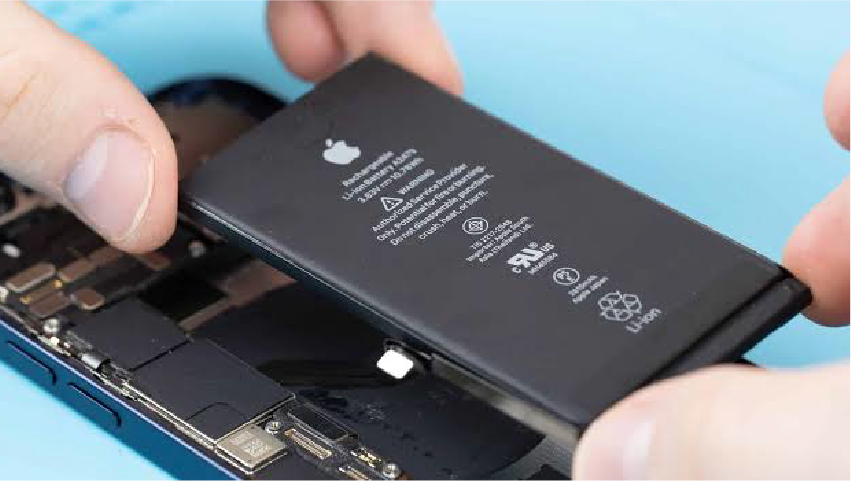
A battery swap sounds simple and is not, particularly on devices where the cell is bonded to the chassis with stretch-release adhesive and sits directly beneath the display flex cables.
- Free diagnostic. Cycle count, actual measured capacity under load, voltage sag under stress, and charging circuit health. Measured figures, not just the settings readout.
- Controlled disassembly. Display removed under controlled heat, battery connector isolated before anything else is touched.
- Safe cell extraction. Adhesive released without deforming or puncturing the old cell — a punctured lithium cell is a genuine fire hazard, which is why this is not a job for a kitchen table and a butter knife.
- Fitting a capacity-matched cell with genuine protection circuitry, matched to the original specification rather than an inflated headline mAh figure.
- Health data pairing so the phone reports accurate battery health and does not display a service warning.
- Full charge and load test before the device is returned, plus a new waterproofing gasket where the model supports one.
Our battery replacement service in London covers all of that, in around 30 to 45 minutes, with a twelve-month warranty and free diagnostics regardless of whether you proceed.
How to get a proper battery diagnosis
The percentage in Settings is a useful indicator and an incomplete one. It does not measure voltage sag under load, which is what actually causes sudden shutdowns, and it does not distinguish a worn cell from a failing charging circuit — two very different repairs.
If your phone is shutting down unexpectedly, running warm, or the battery health figure has dropped sharply in a short period, bring it into our repair clinics across London for a free load-tested diagnostic. Ten minutes tells you definitively whether you need a battery, a charging port, or nothing at all.
Warning Signs That Need Immediate Attention
Stop using the device and get it looked at today if you see any of these:
- The phone or screen is bulging, or the display sits proud of the frame. This is a swollen battery and it is a fire risk. Do not press it, do not charge it, do not put it in a bag.
- The device becomes uncomfortably hot while charging or idle.
- Sudden shutdowns above 30 percent charge.
- The battery health figure drops several percent in a matter of weeks.
- Any smell of solvent or sweetness from the device.
Swollen batteries are more common than people realise, particularly in devices left in hot cars or charged on soft surfaces. They are entirely fixable, and they are not something to carry around in a pocket.
Related repair guides
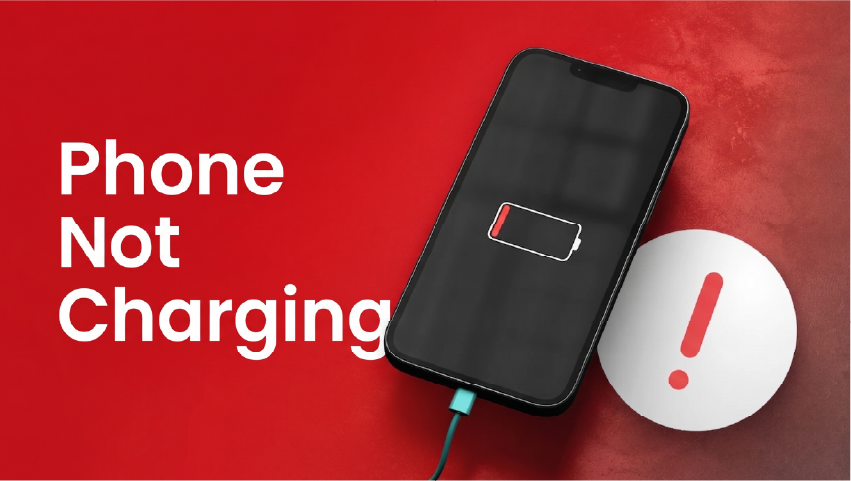
When you are ready to replace the cell, read iPhone battery replacement in London. If the phone will not take charge at all, start with phone not charging: port diagnosis.
Key Takeaways
- Battery health measures current maximum capacity against original capacity. It is not the same as current charge level.
- Below 80 percent is the service threshold, where sudden shutdowns and performance throttling begin.
- Heat is the biggest single cause of degradation — more damaging than charge cycles.
- Performance throttling on a worn battery is real, disclosed, and completely reversed by replacement.
- A replacement costs £39 to £119 against £799 or more for a new handset, and takes under an hour.
- A bulging phone or screen means a swollen battery. Stop using it and get it replaced today.
Frequently asked questions
Above 88 percent is healthy for a device more than a year old. Between 80 and 87 percent is noticeably worn but usable. Below 80 percent is the manufacturer service threshold, where sudden shutdowns and performance throttling typically begin.
Share with your community
Get in touch
Questions about this repair? Send a message or book a slot at a London clinic.