Your phone is typing. You are not touching it. It opens the camera, scrolls halfway down a page, dials a contact, or fights you for control of the keyboard — inserting characters between the ones you meant. Occasionally it locks you out entirely by entering wrong passcodes on its own.
The repair industry calls this ghost touch, or phantom touch, and it is one of the most unsettling faults a phone can develop because it looks like possession rather than a hardware problem. It is, reassuringly, a hardware problem — and often a fairly ordinary one.
What makes ghost touch worth a proper guide is that it has at least six distinct causes, ranging from "unplug that charger" to "the touch layer inside the screen has failed," and the fix for each is completely different. Guess wrong and you replace a screen that did not need replacing, or keep a faulty one that did.
At Fone Doctors a large share of ghost touch cases we see arrive within weeks of a cheap screen repair somewhere else. But plenty are not — and a five-minute elimination test tells you which kind you have.
What Ghost Touch Actually Is
A phone screen detects touch through a grid of capacitive sensors — a layer called the digitizer — that measures tiny changes in electrical charge when a conductive object like a finger comes close. The touch controller chip reads that grid hundreds of times a second and decides where you are pressing.
Ghost touch happens when that grid reports a touch that is not there. Something is creating an electrical change the controller misreads as a finger. That something can come from outside the phone, from between the glass and the panel, or from a fault inside the panel itself.
That distinction is the entire diagnosis.
| Source of interference | Examples | Fix |
|---|---|---|
| External | Charger, cable, wireless pad, magnetic accessory, static | Remove the source — usually free |
| On the surface | Screen protector, moisture, dirt, cracked glass | Clean, dry, or replace the protector — cheap |
| Inside the display | Failed digitizer, aftermarket panel, damaged flex, water ingress | Screen replacement or flex repair |
| On the logic board | Failed touch controller, corrosion | Board-level repair |
The Six Causes, In Order of Likelihood
1. A non-certified charger or cable
The single most common cause, and the one people least expect. Cheap chargers deliver electrically "noisy" power with poor grounding. That noise travels up the cable, through the port and into the phone, where it reaches the digitizer and produces phantom touches — typically while charging, often as a line of touches down one side of the screen.
The test: unplug it. If ghost touch stops, you have found the cause. Replace the charger with a certified one and never use the cheap one again.
2. A damaged or poorly fitted screen protector
A tempered glass protector that has cracked, lifted at an edge, or trapped a bubble or a speck of dust creates a small air gap and a pressure point. Both confuse the capacitive layer. Plastic protectors that have bubbled do the same.
The test: remove it. Test the screen bare for a day.
3. Moisture
Water between the glass and the panel, or a film of moisture on the surface, is conductive — and the digitizer reads it as a very wide, very confused finger. Phones used in the rain, in the bathroom, or with sweaty hands at the gym ghost touch for exactly this reason. So do phones with a small crack that has let humidity in.
The test: dry the screen thoroughly, remove the case, and leave the phone in a dry room for a few hours. If it recovers, moisture was the cause. If it recurs with no obvious wetness, moisture has got under the glass, and that needs a specialist.
4. A low-quality aftermarket display
This is the cause that follows a cheap repair. Budget aftermarket panels use lower-grade digitizers with poor shielding and lower touch sampling rates. They are more susceptible to every kind of interference above, and some ghost touch out of the box. The problem typically shows up within days to weeks of the repair.
The test: did the ghost touch start after a screen replacement? If so, this is the most likely cause, and the fix is a specification-matched panel.
5. A damaged digitizer or display flex
A drop, a crack, or pressure damage can break traces within the digitizer or crease the flex cable that connects it to the board. The controller then receives corrupt data from part of the grid — usually a specific region or a line — and reports touches there.
The test: does the ghost touch happen in the same area every time, or along one line? That localisation points to physical digitizer damage.
6. A touch controller or board fault
Rarest, but real. The touch controller chip on the logic board can fail, or corrosion from a past spill can affect it. Ghost touch across the whole screen, combined with touch that sometimes stops working entirely, points here.
The Five-Minute Elimination Test
Work through in order. Stop when the ghost touch stops.
- Unplug everything. Charger, cable, wireless pad. Remove any magnetic mount or wallet. Test for a minute.
- Take the case off. Some cases press on the screen edge.
- Remove the screen protector. Test bare.
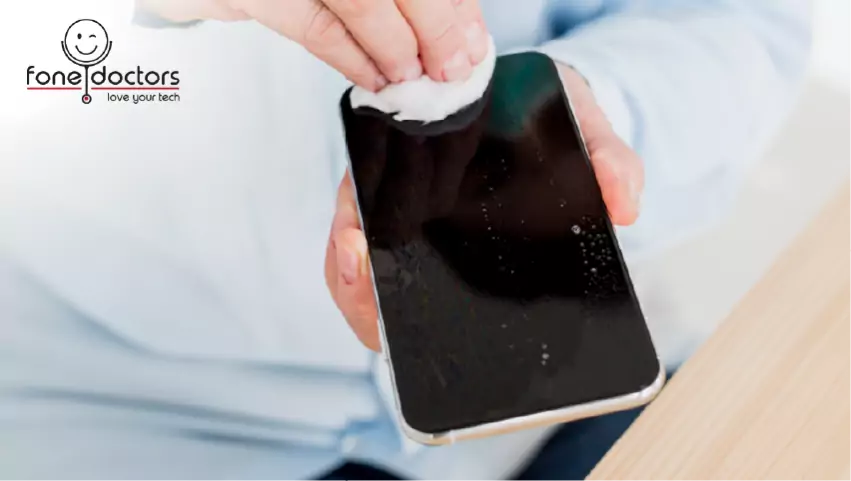
- Clean and dry the screen with a microfibre cloth. Make sure your hands are dry.
- Restart the phone. Software occasionally holds the touch controller in a bad state.
- Check for software updates. Touch firmware is patched from time to time.
- Test in a different environment — away from the desk with the monitor and the charger, in a different room.
- Note the pattern. Same spot every time? A line? Only while charging? Only when warm? Write it down; it tells the technician most of what they need.
If the ghost touch survives all of that, the fault is inside the display or on the board, and it is a repair rather than a fix.
| Ghost touch stops when... | Cause | Cost |
|---|---|---|
| Charger is unplugged | Non-certified charger | The price of a decent charger |
| Screen protector is removed | Damaged protector | A new protector, fitted properly |
| Screen is dried and left in a dry room | Surface moisture | Nothing |
| Nothing — it continues bare and unplugged, in a dry room | Digitizer, aftermarket panel, flex, or board | Repair required |
What the Repair Involves
Where the fault is inside the phone, the diagnostic determines which of three repairs applies.
| Finding | Repair | Turnaround | From |
|---|---|---|---|
| Aftermarket or damaged digitizer, panel otherwise intact | Full display assembly replacement with a specification-matched panel | 30 to 60 minutes | From £79 depending on model |
| Display flex creased or connector damaged | Flex reseat, repair, or assembly replacement | 30 to 60 minutes | Diagnostic required |
| Moisture under the glass | Display removed, internals dried and cleaned, reseal — display replaced if the panel has been damaged | 1 to 2 hours | Diagnostic required |
| Touch controller or board corrosion | Board-level microscope repair | 2 to 5 days | Diagnostic required |
The first row is by far the most common outcome. Our screen repair service fits OEM-grade panels with properly shielded digitizers and touch sampling rates matched to the original, tests every replacement on a full-surface touch grid before the phone leaves, and carries a twelve-month warranty that specifically covers touch faults.
If your ghost touch started after a repair elsewhere, the screen fitted was almost certainly a low-grade aftermarket panel. It is worth asking that shop to make good under whatever warranty they offered. If they will not, bring it in and we will fit a panel that behaves.
When To Bring It In
Bring the phone to our London clinics for a free diagnostic if:
- The elimination test did not stop it
- It started after a screen repair
- It is localised to one area or line of the screen
- It began after a drop, or the screen is cracked
- It began after the phone got wet, even slightly
- It is locking you out by entering wrong passcodes — this is urgent, because repeated wrong entries can trigger a lockout or an automatic wipe on some settings
That last point matters. If your phone is entering passcodes by itself, turn it off until it can be seen. A phone that erases itself over a faulty digitizer is a bad outcome for a cheap fault.
Preventing Ghost Touch
- Use certified chargers and cables. This alone prevents the most common cause.
- Fit screen protectors properly — dust-free, edge-to-edge, no bubbles — and replace them when they crack.
- Dry the phone before use after rain, the gym or the bathroom.
- Repair cracked screens promptly. A crack is a door for moisture, and moisture under the glass is one of the harder causes to fix.
- Choose OEM-grade panels when a screen does need replacing. The saving on a budget panel is repaid in ghost touch, colour shift and battery drain within months.
Related repair guides
See also cracked phone screen repair and OEM vs aftermarket screens.
Key Takeaways
- Ghost touch is electrical interference reaching the touch layer. It comes from outside the phone, from the surface, or from inside the display.
- Unplug the charger and remove the screen protector first. Those two steps resolve a large share of cases for free.
- Ghost touch that starts after a cheap screen repair is the aftermarket panel. It will not settle down.
- Localised ghost touch — one area, one line — means physical digitizer or flex damage.
- Ghost touch after any water contact means moisture under the glass, and that needs a specialist.
- If the phone is entering passcodes by itself, turn it off. A self-wiping phone is an avoidable disaster.
Get Ghost Touch Diagnosed Free
Full-surface touch grid test, honest identification of the cause, OEM-grade replacement panels with properly shielded digitizers, and a twelve-month warranty that covers touch faults. Walk into our London Bridge, Liverpool Street or Canary Wharf clinics, or book a collection.
Book a repair: https://fonedoctors.co.uk/booking/device
See all repair prices: https://fonedoctors.co.uk/prices
Call the clinic: +44 20 7403 9111
Frequently asked questions
Something is creating electrical interference that the screen's touch layer reads as a finger. The most common causes are a non-certified charger, a damaged screen protector, moisture on or under the glass, or a low-quality aftermarket display. Unplug the charger and remove the protector first — that resolves a large share of cases for free.
Share with your community
Get in touch
Questions about this repair? Send a message or book a slot at a London clinic.